ChatGPT, Claude and YouTube
Connect ChatGPT and Claudeto YouTube
Octapost links your assistant to YouTube. Ask in plain words and it drafts the post, designs the visual at the right size and reads your results. You review and publish.
No credit card required. Month to month, cancel anytime.
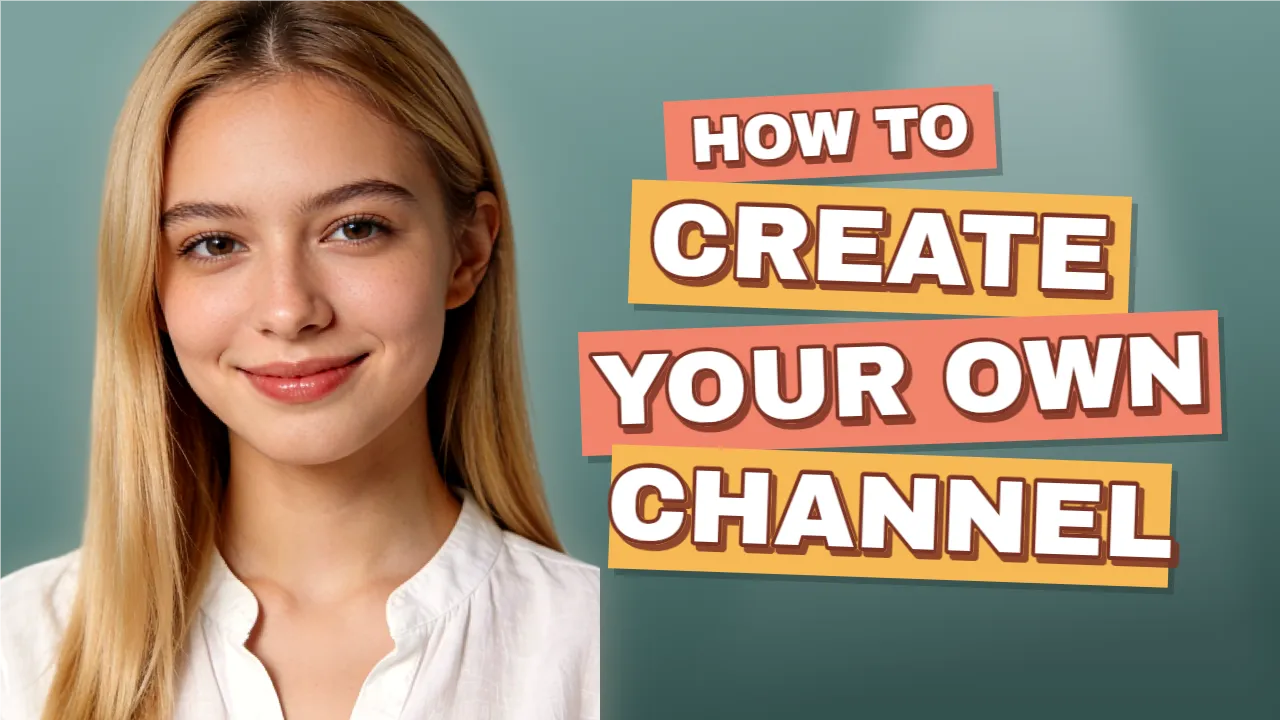
Make a YouTube thumbnail for "How to create your own channel" and draft the video.
The thumbnail is an editable template and the draft is saved. Tell me the visibility and whether it is made for kids.
In short
ChatGPT and Claude can work with YouTube through Octapost, a social media platform that works as a remote MCP server. Once connected, your assistant drafts videos and Shorts, with title, description and a custom thumbnail, designs editable visuals at 1280 × 720 for thumbnails, 1920 × 1080 for videos and 1080 × 1920 for Shorts and reads analytics such as views, likes and comments. It saves drafts only: you review them and publish or schedule from Octapost. Plans start at $14 a month.
What your assistant can do for YouTube
Drafts made for YouTube
Captions, hashtags and media are prepared in the formats YouTube supports: videos and Shorts, with title, description and a custom thumbnail.
Visuals at the right size
Designs come out at 1280 × 720 for thumbnails, 1920 × 1080 for videos and 1080 × 1920 for Shorts, as editable layers in the Octapost image editor, so you can still change any word or photo.
It asks before it assumes
Before a YouTube video can be scheduled, the assistant asks you for its visibility, the made for kids declaration, the category and the license. It never decides them for you.
Answers from your analytics
Ask what worked last month. It reads views, likes and comments that Octapost has already synced, for up to 90 days.
How to connect ChatGPT or Claude to YouTube
Connect YouTube to Octapost
Link your account with the official login. Each YouTube channel you manage connects as its own account.
Add Octapost to your assistant
In ChatGPT or Claude, add https://www.octapost.app/api/mcp as a custom connector and approve the Octapost sign in.
Ask, review and publish
Ask for a post. The assistant saves a draft and gives you a link; open it in Octapost, check it and publish or schedule it.
Things to ask for
| You ask | You get in Octapost |
|---|---|
| Make a thumbnail for "I tried 10 AI tools" with a surprised face | An editable 1280 × 720 thumbnail template |
| Write a title and description for this Short | A Short draft waiting for your visibility and made for kids choices |
| Which videos got the most views in the last 90 days? | Views, likes and comments from your synced metrics |
Your assistant prepares the post. You decide when it goes live.
What it can do
- Draft posts for YouTube with captions and hashtags
- Design editable visuals at the right size for YouTube
- Generate images and remove backgrounds
- Import media from a link or from your computer
- Read the analytics Octapost syncs from YouTube
What stays with you
- Publishing and scheduling: you do that in Octapost
- Choices only you can make, such as visibility or disclosure settings
- Access on a free trial: assistants need a paid Octapost plan
Frequently asked questions
Can ChatGPT or Claude post to YouTube directly?
Not through Octapost. Your assistant prepares the post as a draft, with media and settings, and gives you a link. You open it in Octapost and publish or schedule it yourself, so nothing goes live without a person approving it.
Does it work with Claude as well as ChatGPT?
Yes. Octapost is a remote MCP server, so ChatGPT, Claude, Cursor and other apps that support remote MCP servers with OAuth connect with the same URL: https://www.octapost.app/api/mcp.
Is Octapost in the ChatGPT or Claude app directory?
Not yet. You add it as a custom connector, which takes about a minute and needs no API key. Custom connectors may require a paid ChatGPT or Claude plan.
Which plan do I need?
Any paid Octapost plan, from $14 a month. Free trials do not include assistant access. Writing is done by your own assistant; generated images use your Octapost AI tokens.
Can it design YouTube thumbnails?
Yes. Ask for a 1280 × 720 thumbnail and the assistant builds an editable template with your headline, photo and effects. You can adjust it in the image editor and attach it to the video draft.
Is Octapost the same as Octopost or Oktopost?
No. Octapost, spelled with an a, is the social media platform at octapost.app. It is not affiliated with Octopost (octopost.ai or getoctopost.com) or Oktopost (oktopost.com).
Connect your assistant to YouTube today
Start a 14 day free trial to connect your accounts and set up your brand kit, then add ChatGPT or Claude on any paid plan.
No credit card required. Month to month, cancel anytime.