For ChatGPT, Claude and other MCP apps
Create social media contentwith ChatGPT or Claude
Ask in plain words. Your assistant drafts posts for every network and designs editable visuals in your Octapost workspace. You review, then publish or schedule.
No credit card required. Month to month, cancel anytime.
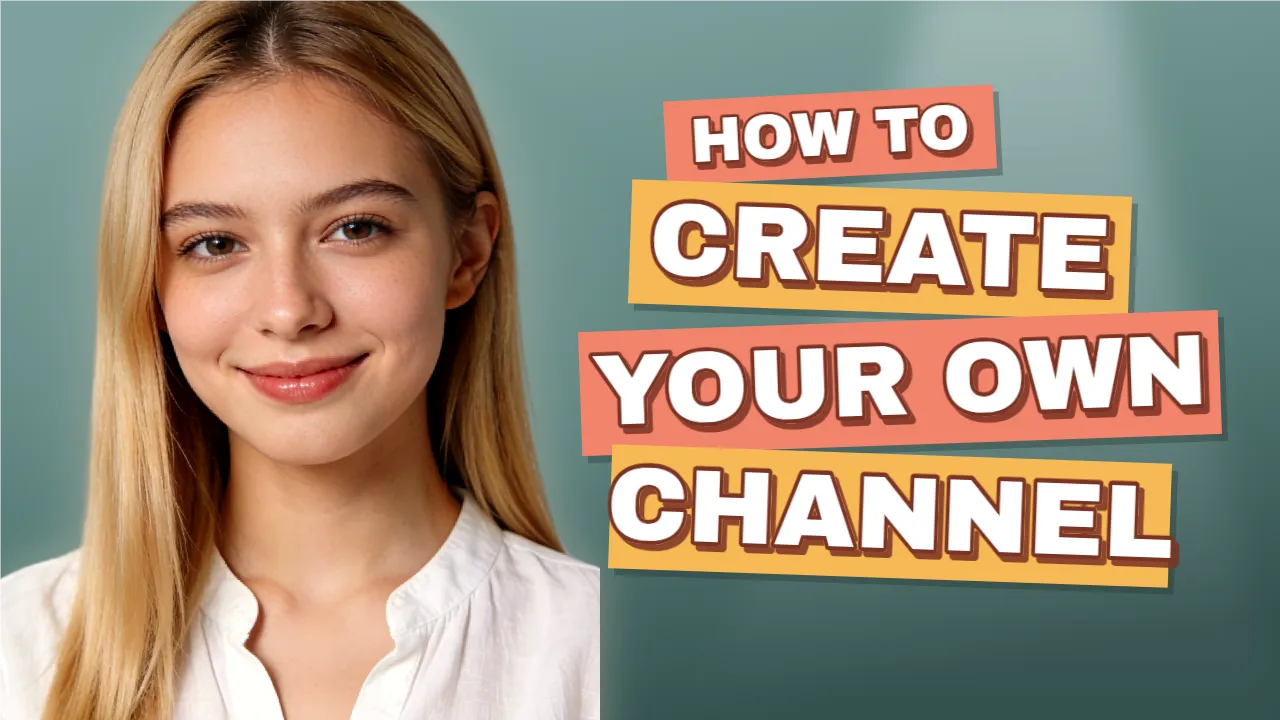
Make a YouTube thumbnail for “How to create your own channel” and draft the video post.
Done. The thumbnail is an editable template and the draft is saved. Open it in Octapost to review and schedule.
In short
Octapost is a social media management platform that works as a remote MCP server. Connect ChatGPT, Claude or Cursor and your assistant reads your brand kit, writes a caption for each network, designs editable images and YouTube thumbnails, and reads your cached analytics. It saves everything as drafts: nothing is published until you approve it in Octapost.
What your assistant can do in Octapost
A caption for each network
One request becomes a draft with a caption per platform, matched to the accounts and formats that fit the media.
Designs you can still edit
Thumbnails, carousels and promo images arrive as layered templates in the image editor, not flat pictures. Change any word or photo yourself.
On brand from the first draft
Before it writes or designs, the assistant reads your colours, fonts, logo and best performing posts.
Answers from your analytics
Ask which posts worked last month. It reads up to 90 days of the metrics Octapost has already synced.
How it works
Connect once
Add https://www.octapost.app/api/mcp as a custom connector in ChatGPT or Claude and approve the Octapost sign in.
Ask for what you need
“Draft a launch post for Instagram and LinkedIn with a matching image.” The assistant works inside your workspace.
Review and publish
Open the draft link it returns, adjust anything, then publish or schedule it from Octapost.
Things people ask for
| You ask | You get in Octapost |
|---|---|
| Write a post announcing our new feature for Instagram and LinkedIn | A draft with a caption and hashtags per platform |
| Make a YouTube thumbnail that says “I tried 10 AI tools” | An editable template with outlined text, a cut out presenter and effects |
| Use our promo template with a photo of a coffee shop | The template filled in and exported as an image, ready to attach |
| Which of our posts did best in the last 30 days? | A summary of your top posts, with the date the metrics were last synced |
Create with ChatGPT and Claude
From a conversation to content you can edit and publish.
MCP connects your assistant to the Octapost image editor, template library and post drafts. Ask for a design, refine its layers, reuse it across a campaign and bring it into your publishing workflow.
Example workflow
“Create a YouTube thumbnail with an editable headline and photo placeholder. Make two alternatives, then prepare a post draft with the chosen design.”
Text, images and shapes stay editable in Octapost.
Design with real layers
Your assistant builds a design you can keep working on in the image editor.
- Create and edit text, images and shapes
- Adjust typography, colors and alignment
- Generate images, remove backgrounds and compare variants
Make a template work harder
Start from your library or ask for a new reusable design with fillable placeholders.
- Find templates by purpose and style
- Fill headline and image placeholders
- Export campaign visuals with editable layers
Bring it into your next post
Carry the finished visual and caption into a draft for your connected social accounts.
- Attach exported designs to post drafts
- Draft captions using your brand context
- Review, then schedule or publish in Octapost
AI creates the draft. You choose when it goes live.
MCP saves drafts and editable designs. Open them in Octapost to adjust the layers, review accounts and captions, and schedule or publish your post yourself.
MCP requires an active paid subscription. Image generation and background removal use workspace AI credits.
Your assistant writes and designs. You decide what goes live.
What it can do
- Write post drafts with a caption per network
- Design and edit layered templates and thumbnails
- Generate images and remove backgrounds
- Import media from a link or from your computer
- Read cached analytics for accounts and posts
What stays with you
- Publishing, scheduling and unscheduling posts
- Choices like TikTok visibility or the YouTube made for kids declaration
- Access on a free trial: assistants need a paid Octapost plan
Frequently asked questions
Does Octapost work with ChatGPT?
Yes. Octapost is a remote MCP server, so you add it to ChatGPT as a custom connector with the URL https://www.octapost.app/api/mcp and sign in. Developer mode must be on, and custom connectors may require a paid ChatGPT plan.
Does it work with Claude?
Yes. On claude.ai or Claude Desktop, open Settings, then Connectors, choose Add custom connector, paste the same URL and approve the sign in. Cursor, VS Code and other apps that support remote MCP servers with OAuth work too.
Is Octapost listed in the ChatGPT or Claude app directory?
Not yet. Today you connect it as a custom connector, which takes about a minute and needs no API key.
Can the assistant publish posts for me?
No. Assistants only save drafts. You open each draft in Octapost and publish or schedule it yourself, so nothing goes live without a person approving it.
Which plan do I need?
Any paid Octapost plan, from $14 a month. Free trials do not include assistant access. Writing is done by your own assistant; generating images uses your Octapost AI tokens.
Which networks can it prepare posts for?
Facebook, Instagram, X, LinkedIn, TikTok, YouTube, Pinterest, Reddit, Google Business Profile, Slack and Discord. When a network needs extra choices, such as TikTok visibility or a subreddit, the assistant asks you instead of choosing.
Is Octapost the same as Octopost or Oktopost?
No. Octapost, spelled with an a, is the social media platform at octapost.app. It is not affiliated with Octopost (octopost.ai or getoctopost.com) or Oktopost (oktopost.com).
Bring your assistant to your social calendar
Start a 14 day free trial to connect your accounts and set up your brand kit, then connect ChatGPT or Claude on any paid plan.
No credit card required. Month to month, cancel anytime.